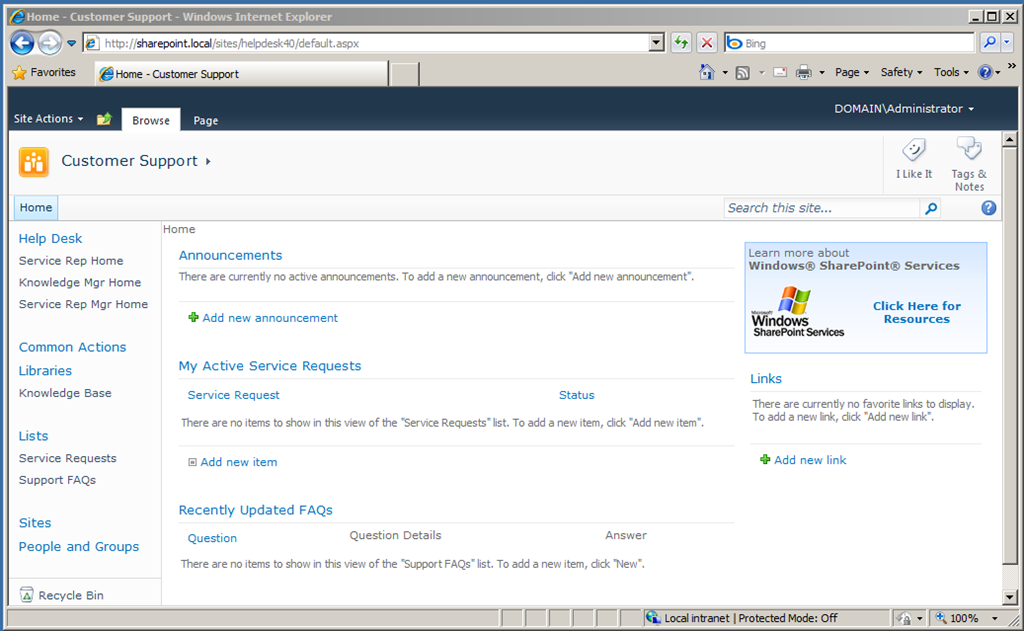
Deploying “Fantastic Fourty“ templates of MOSS 2007 on SharePoint 2010
There are the “Fantastic Fourty” templates you all now… They are create for MOSS 2007 and there are no update available for SharePoint 2010… Because of a migration of MOSS 2007 to SharePoint 2010 I need to deploy some of the site definitions to SharePoint 2010 to get the “old” sites working…
Do you know you can publish the Fantastic-40 on SharePoint 2010? – Here is a nice article about that: http://marijnsomers.blogspot.com/2010/06/fantastic-40-templates-on-sharepoint.html
On this page you’ll find updates solution packages: http://techsolutions.net/Blog/tabid/65/EntryId/17/Fab-40-Templates-for-MOSS-2010.aspx
BUT…
After deployment of the base solution “ApplicationTemplateCore.wsp” this is what I liked to do:
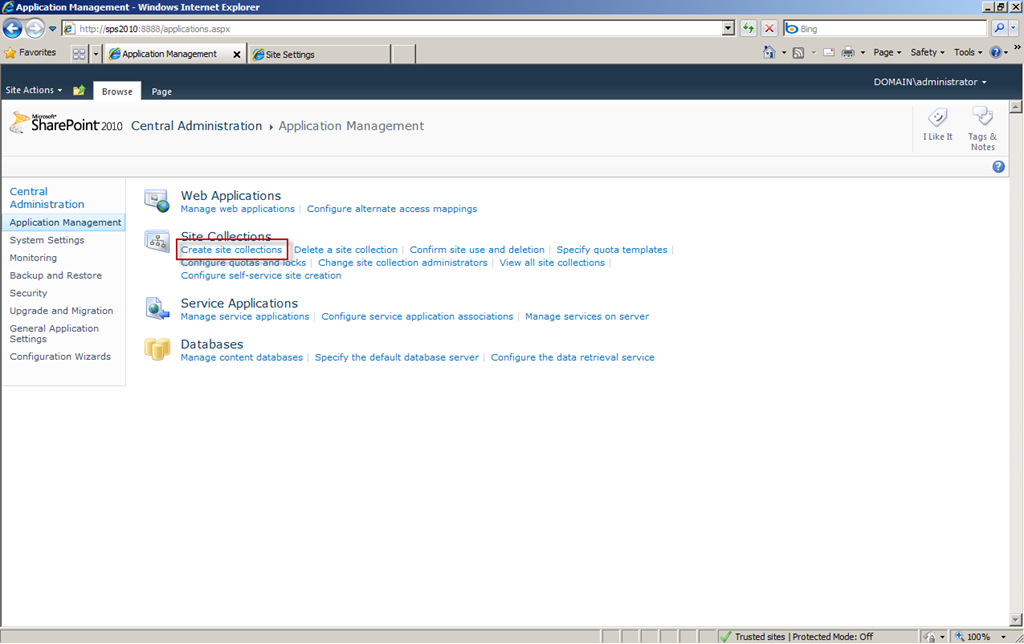
1. Create a Site Collection
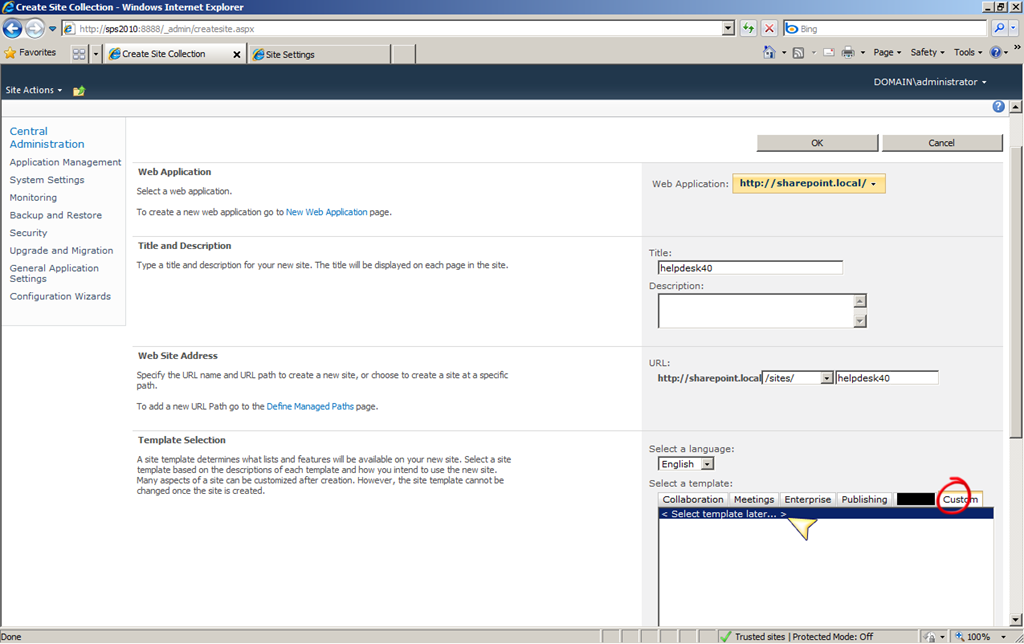
2. Enter some data and choose the “Custom” category for the site template. Click “Select template later”…
3. Now create the site and open them. You get:
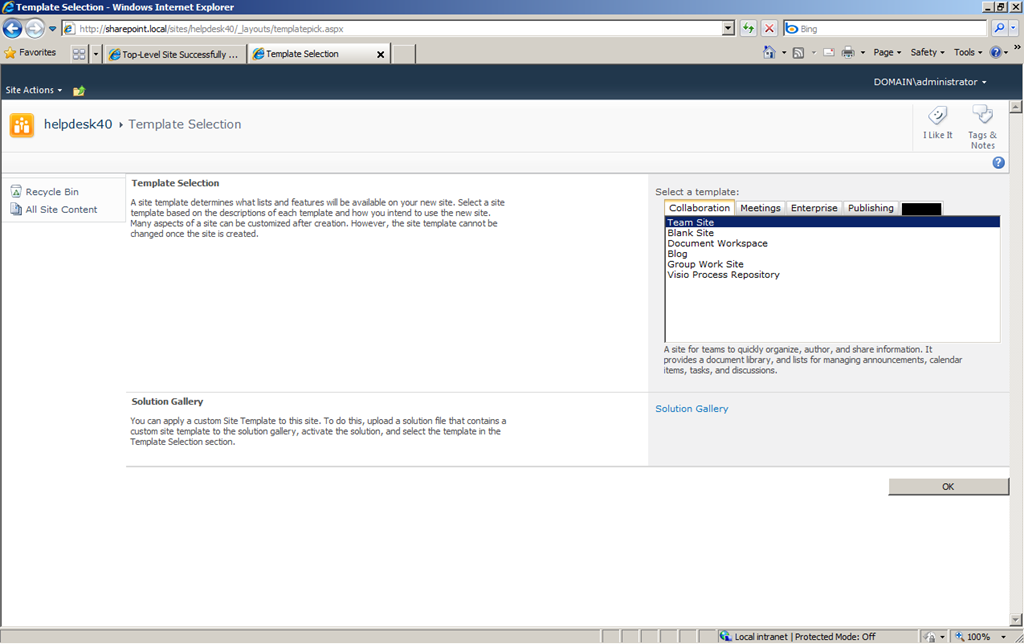
4. Now open the “Site Settings” from the “Site Actions” menu.
5. Click “Site Collection Features”.
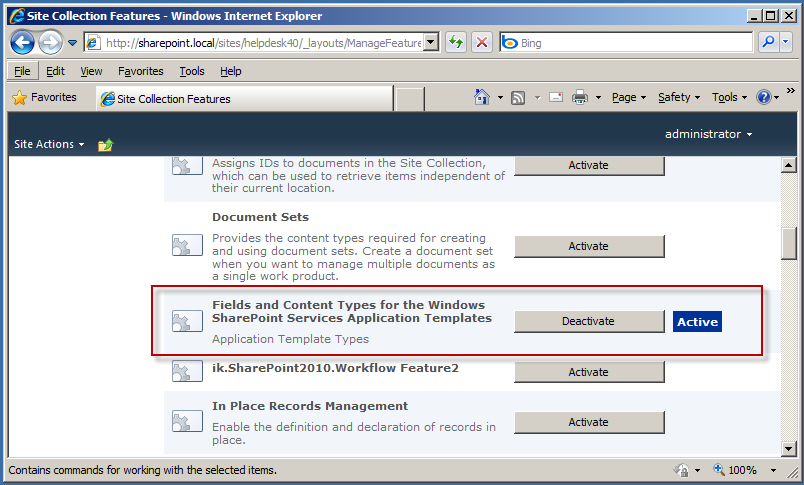
6. Try to activate feature “Fields and Content Types for the Windows SharePoint Services Application Templates”
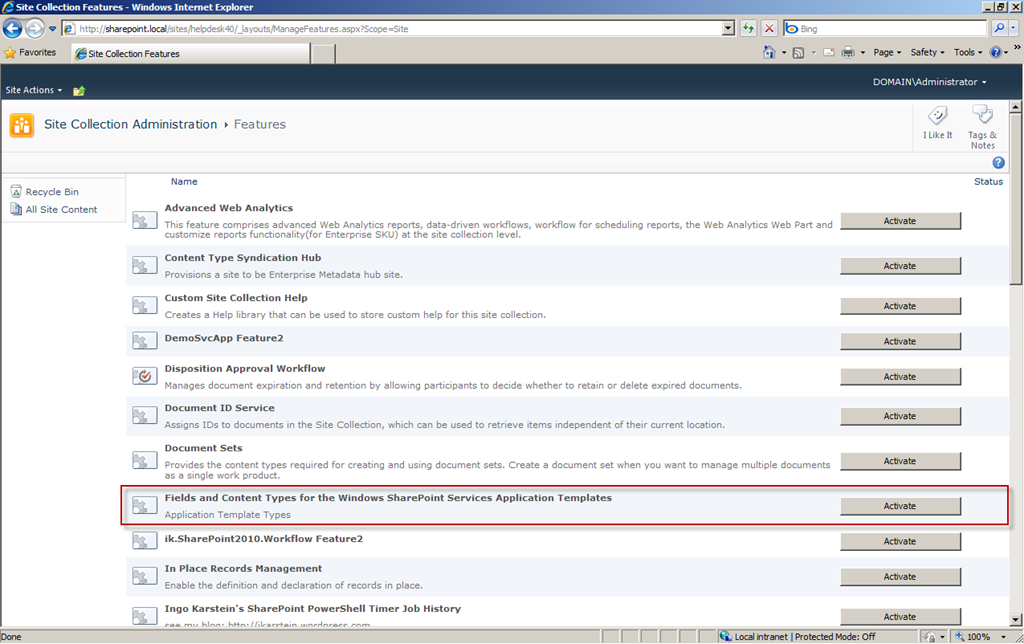
7. You get:
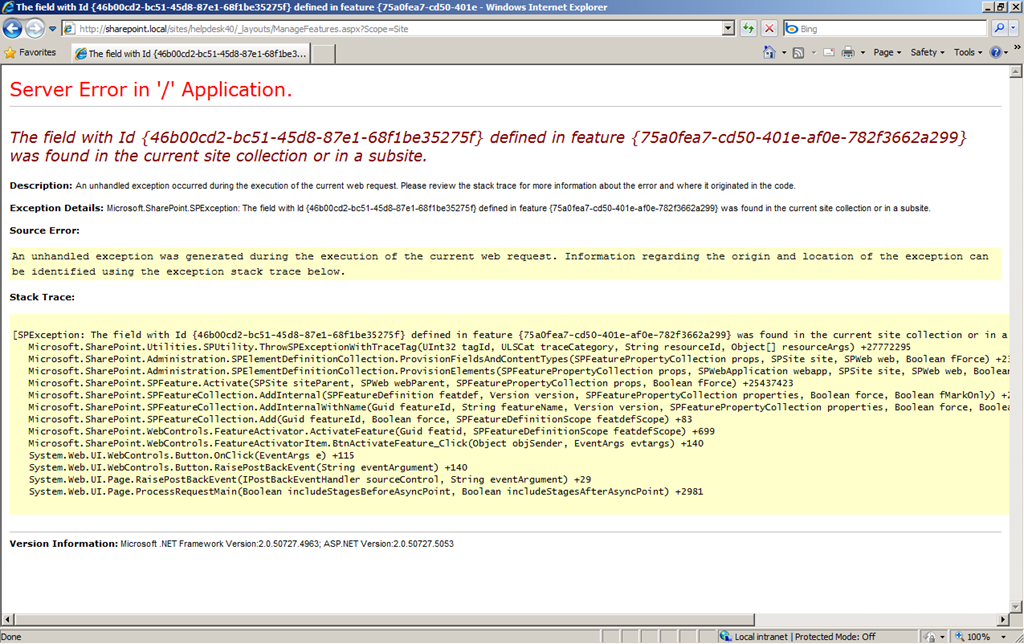
But as I tried to deploy and activate them I got this error:
  Server Error in '/' Application.
    --------------------------------------------------------------------------------

  The field with Id {46b00cd2-bc51-45d8-87e1-68f1be35275f} defined in feature {75a0fea7-cd50-401e-af0e-782f3662a299} was found in the current site collection or in a subsite.
Description: An unhandled exception occurred during the execution of the current web request. Please review the stack trace for more information about the error and where it originated in the code.
Exception Details: Microsoft.SharePoint.SPException: The field with Id {46b00cd2-bc51-45d8-87e1-68f1be35275f} defined in feature {75a0fea7-cd50-401e-af0e-782f3662a299} was found in the current site collection or in a subsite.
Source Error: An unhandled exception was generated during the execution of the current web request. Information regarding the origin and location of the exception can be identified using the exception stack trace below.   Stack Trace:    [SPException: The field with Id {46b00cd2-bc51-45d8-87e1-68f1be35275f} defined in feature {75a0fea7-cd50-401e-af0e-782f3662a299} was found in the current site collection or in a subsite.]   Microsoft.SharePoint.Utilities.SPUtility.ThrowSPExceptionWithTraceTag(UInt32 tagId, ULSCat traceCategory, String resourceId, Object[] resourceArgs) +27772295       Microsoft.SharePoint.Administration.SPElementDefinitionCollection.ProvisionFieldsAndContentTypes(SPFeaturePropertyCollection props, SPSite site, SPWeb web, Boolean fForce) +23652209       Microsoft.SharePoint.Administration.SPElementDefinitionCollection.ProvisionElements(SPFeaturePropertyCollection props, SPWebApplication webapp, SPSite site, SPWeb web, Boolean fForce) +138       Microsoft.SharePoint.SPFeature.Activate(SPSite siteParent, SPWeb webParent, SPFeaturePropertyCollection props, Boolean fForce) +25437423       Microsoft.SharePoint.SPFeatureCollection.AddInternal(SPFeatureDefinition featdef, Version version, SPFeaturePropertyCollection properties, Boolean force, Boolean fMarkOnly) +27496895       Microsoft.SharePoint.SPFeatureCollection.AddInternalWithName(Guid featureId, String featureName, Version version, SPFeaturePropertyCollection properties, Boolean force, Boolean fMarkOnly, SPFeatureDefinitionScope featdefScope) +150       Microsoft.SharePoint.SPFeatureCollection.Add(Guid featureId, Boolean force, SPFeatureDefinitionScope featdefScope) +83       Microsoft.SharePoint.WebControls.FeatureActivator.ActivateFeature(Guid featid, SPFeatureDefinitionScope featdefScope) +699       Microsoft.SharePoint.WebControls.FeatureActivatorItem.BtnActivateFeature_Click(Object objSender, EventArgs evtargs) +140       System.Web.UI.WebControls.Button.OnClick(EventArgs e) +115    System.Web.UI.WebControls.Button.RaisePostBackEvent(String eventArgument) +140       System.Web.UI.Page.RaisePostBackEvent(IPostBackEventHandler sourceControl, String eventArgument) +29    System.Web.UI.Page.ProcessRequestMain(Boolean includeStagesBeforeAsyncPoint, Boolean includeStagesAfterAsyncPoint) +2981
Okay… This is the solution that I’ve developed some minutes ago.
1. You need to decompress the “ApplicationTemplateCore.WSP” file. – It’s nothing else than a CAB file renamed to WSP. – Use 7zip to decompress it.
2. Open the file
(Remove the code in the red frame.)
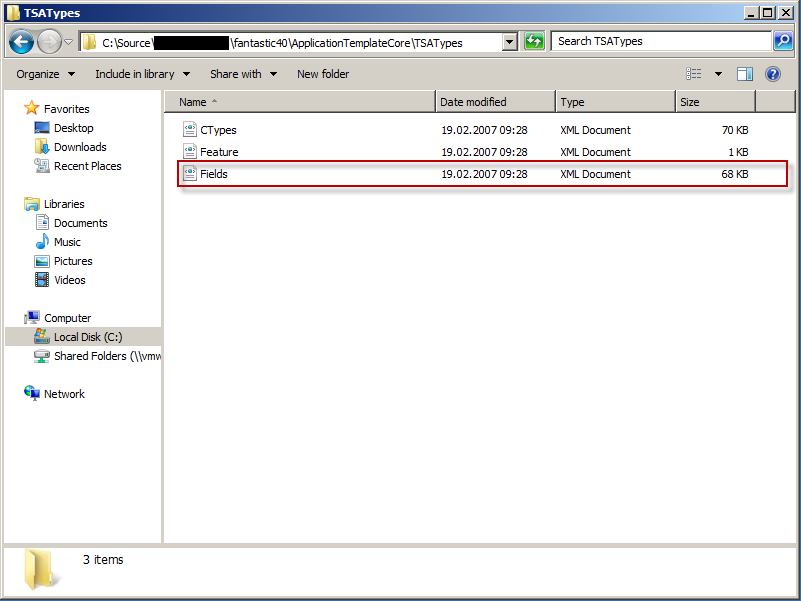
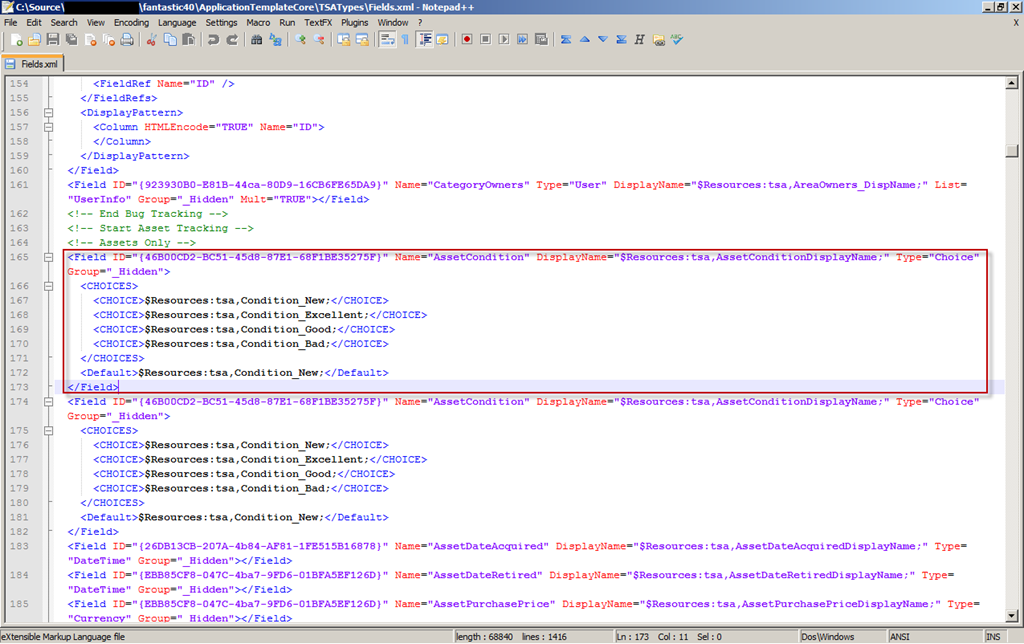
3. By the way: This is not the only bug in the WSP file. But for now we go ahead… We need to recreate the WSP file.
This is not easy.
a) First download “DDFGenerator.exe” from http://ddfgenerator.codeplex.com/
b) Open a command line prompt.
c) Type the path to “DDFGenerator.exe” and specify the path of the WSP content as parameter.
d) In the WSP content folder you’ll find a file named “solution.ddf”. Edit this file in Notepad. Insert “.Set CabinetNameTemplate=ApplicationTemplateCore.WSP” as 5th line. – Save and close the file.
e) Go into the folder and execute “MakeCab.exe /F solution.ddf”
Now you have a new WSP file in a sub folder of the WSP content folder.
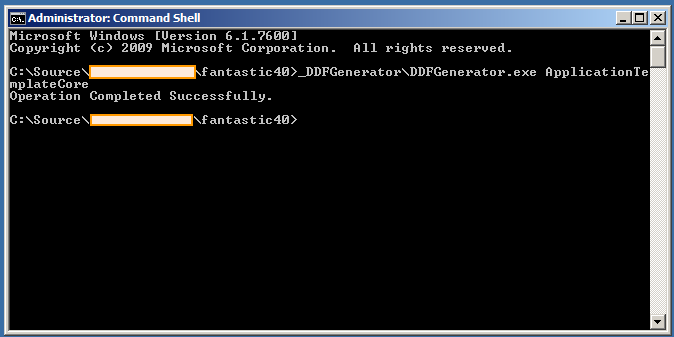
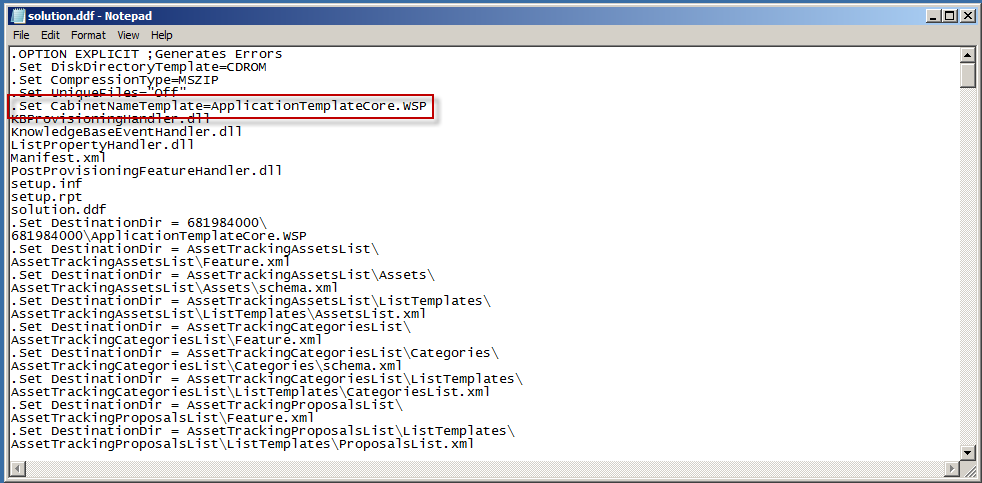
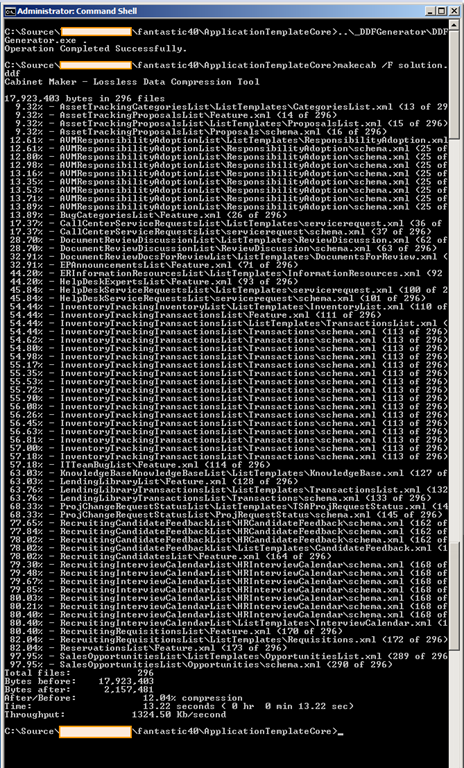
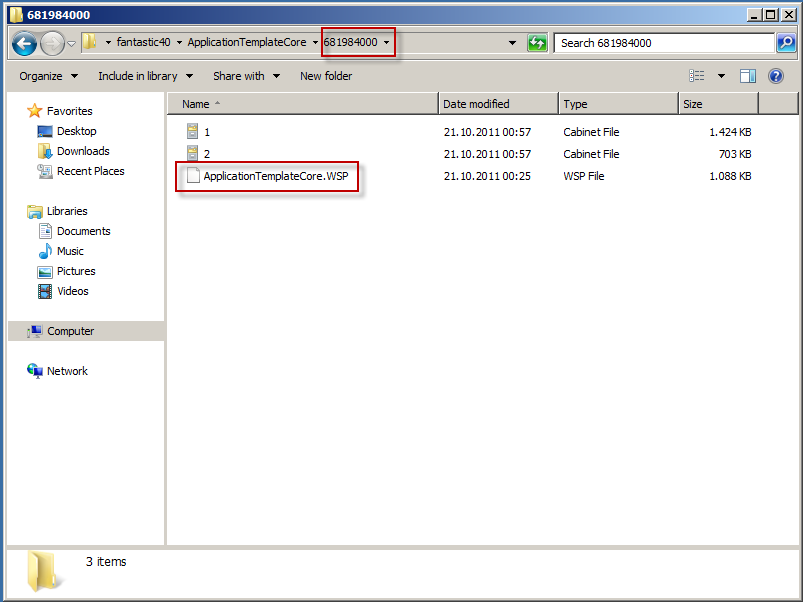
4. Now run a solution upgrade.
5. Try to activate the feature again. You get another error:
The field with Id {26118c12-ea11-48ae-950b-a7219a9738f8} defined in feature {75a0fea7-cd50-401e-af0e-782f3662a299} was found in the current site collection or in a subsite.
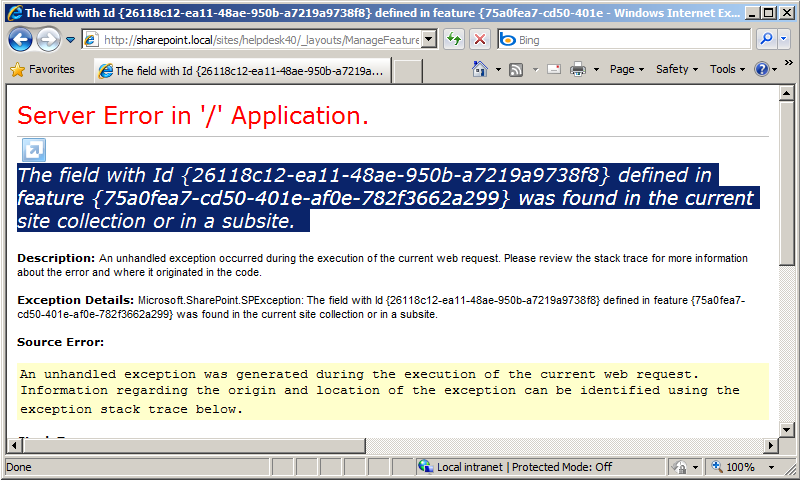
6. If your search for GUID “26118c12-ea11-48ae-950b-a7219a9738f8” you’ll find another field that is deployed twice:
…in file
ApplicationTemplateCoreTSATypesFields.xml Here you need to delete one of the entries…
7. The next try also results in an error:
The field with Id {ebb85cf8-047c-4ba7-9fd6-01bfa5ef126d} defined in feature {75a0fea7-cd50-401e-af0e-782f3662a299} was found in the current site collection or in a subsite.
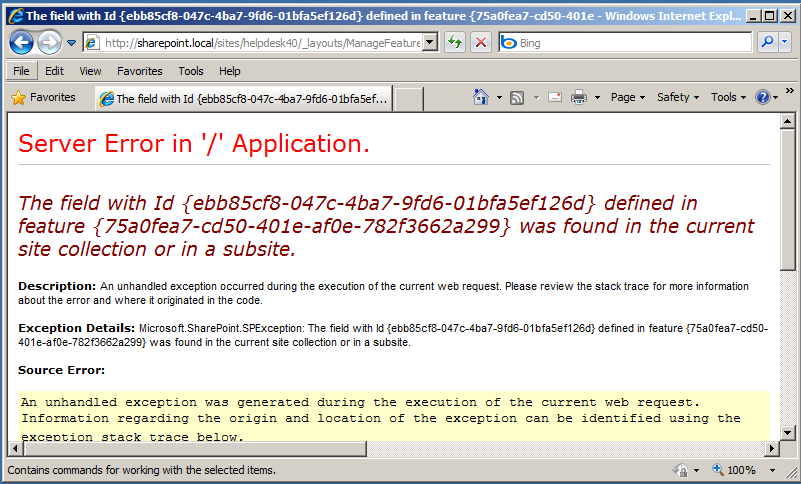
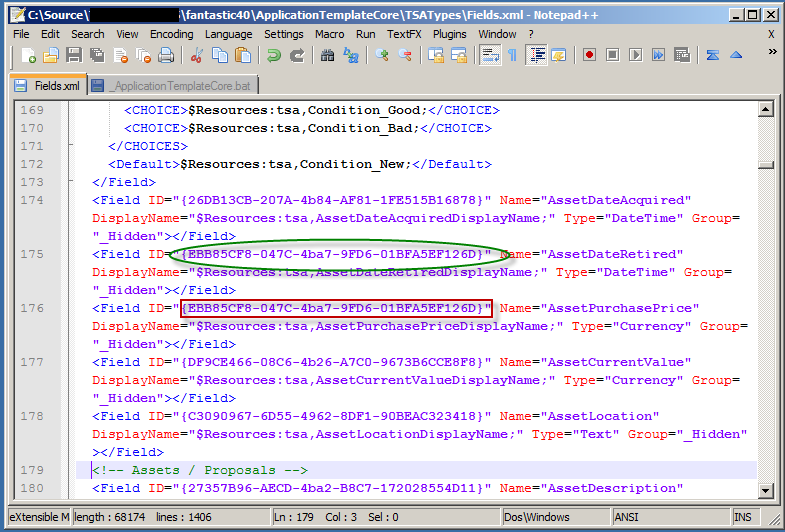
8. Search for GUID “ebb85cf8-047c-4ba7-9fd6-01bfa5ef126d”. – Here it’s more complexe to resolve this issue. Because there are to diffrent fields with the same ID!
(It’s file
ApplicationTemplateCoreTSATypesFields.xml again!) You need to create a new ID for one of the field.
I’ve choosen “93B5756C-727F-4C4B-A081-E8654A234739” as new ID for field “AssetPurchasePrice”. You can use this GUID too!
Now you need to change every reference to field “AssetPurchasePrice” in all files of the project. Here is a list of files:
ApplicationTemplateCoreTSATypesFields.xml ApplicationTemplateCoreTSATypesCTypes.xml ApplicationTemplateCoreLendingLibraryListAssetsschema.xml ApplicationTemplateCoreInventoryTrackingInventoryListInventoryschema.xml ApplicationTemplateCoreAssetTrackingProposalsListProposalsschema.xml ApplicationTemplateCoreAssetTrackingAssetsListAssetsschema.xml Be sure to replace the ID of all references of “AssetPurchasePrice” with the new ID! Don’t touch the references of the other field “AssetDateRetired” with the same ID. Do not use Search and Replace to replace the GUID.
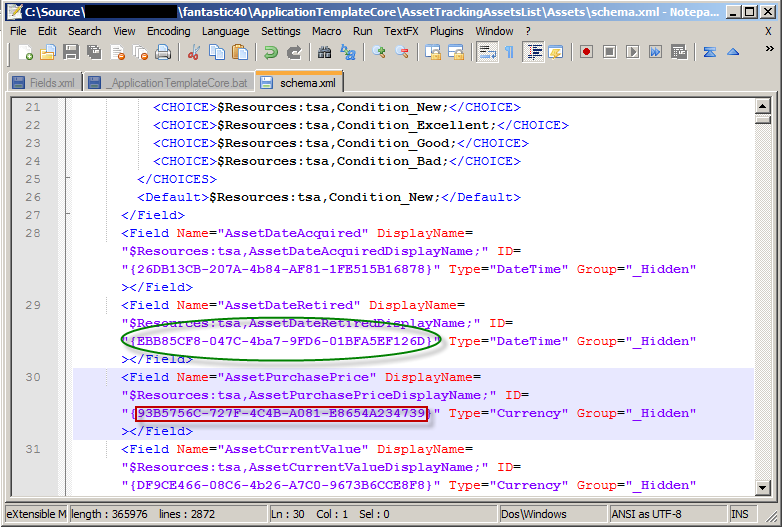
A sample for file
ApplicationTemplateCoreAssetTrackingAssetsListAssetsschema.xml after replacing the ID of “AssetPurchasePrice”:
(In the red box I’ve replaced the ID. In the green oval I’ve left the ID untouched!)
BTW: The GUID of “AssetDateRetired” is “EBB85CF8-047C-4ba7-9FD6-01BFA5EF126D”: There are lower case letters and upper case letters in the GUID. I think they are edited by hand by someone and that’s the reason of the error…
9. Save your work and repack the solution as described above and deploy the package to SharePoint.
10. Now I’m able to activate the feature “Fields and Content Types for the Windows SharePoint Services Application Templates”:
12. That’s it so far.
13. Now I’d like to use a Fantastic-40 template. In my case “Helpdesk”. I deployed the “Helpdesk.WSP” of the Fantastic-40 bundle to SharePoint 2010. – Without any error.
14. Click the homepage of your site and you’ll reach the “Template Picker” application page if you did not select a template for the site before like me.
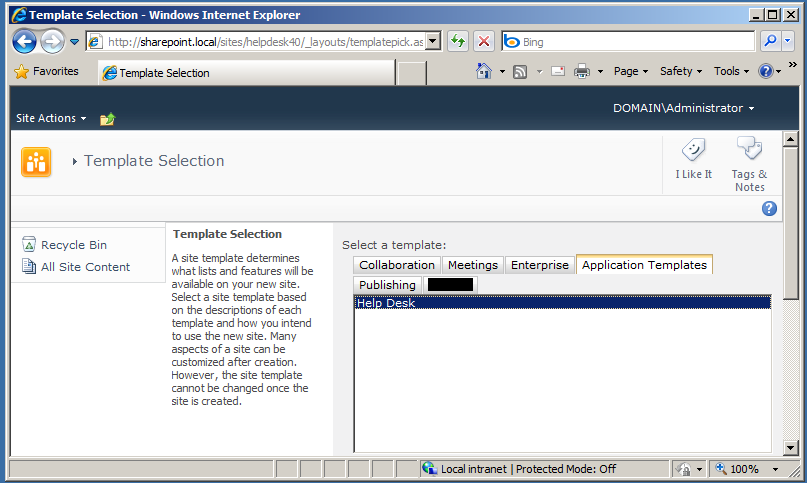
15. Now I have a working “Helpdesk” site – as far as I can see.