InfoPath error & solution: InfoPath cannot open the following form <url> ... The file is not a valid XML document.
Yesterday I had a problem on a new SharePoint 2013 farm that took me some hours to solve it.
Problem:
I was not able to customize forms (again) using InfoPath on lists after creating them before sucessfully.
Steps to reproduce:
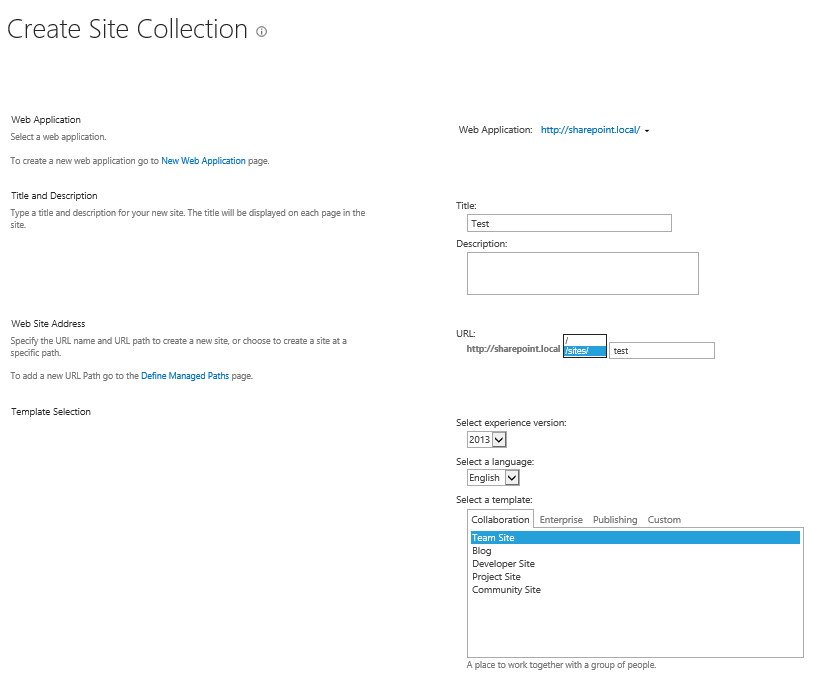
First I created a site collection and a custom list in it.
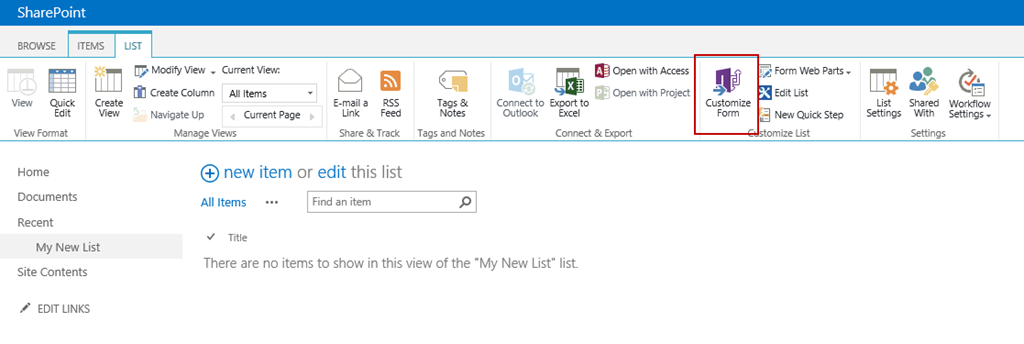
Than I use the “Customize Form” button in the Ribbon menu. The new form opens in InfoPath designer.
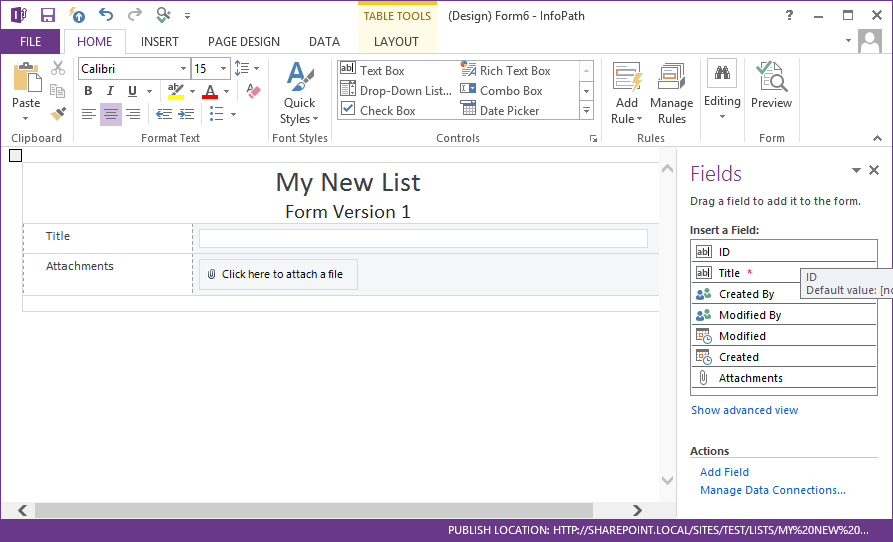
Than I modify the form and publish it.
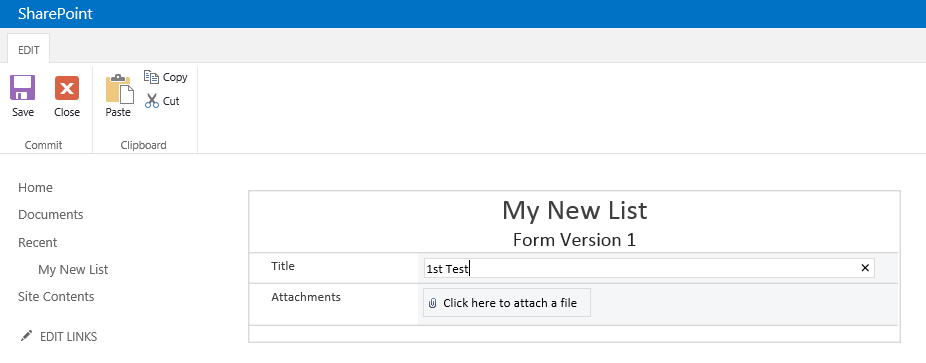
In the browser I verify it’s working.
Than I want to change the form and click the Ribbon button “Customize Form” again.
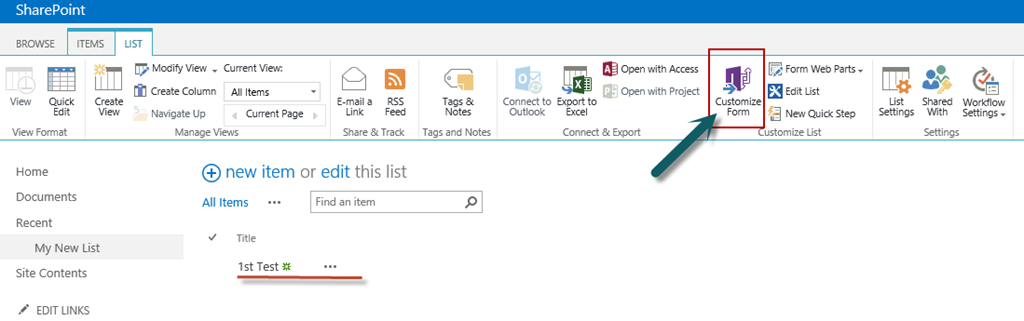
Now this happens:
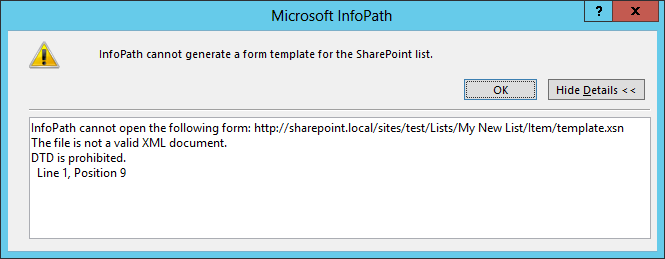
Error Message:
InfoPath cannot open the following form: http://sharepoint.local/sites/test/Lists/My New List/Item/template.xsn
The file is not a valid XML document.
DTD is prohibited.
Line 1, Position 9
When opening the URL of the InfoPath template in the browser I get this error from the Forms Server:
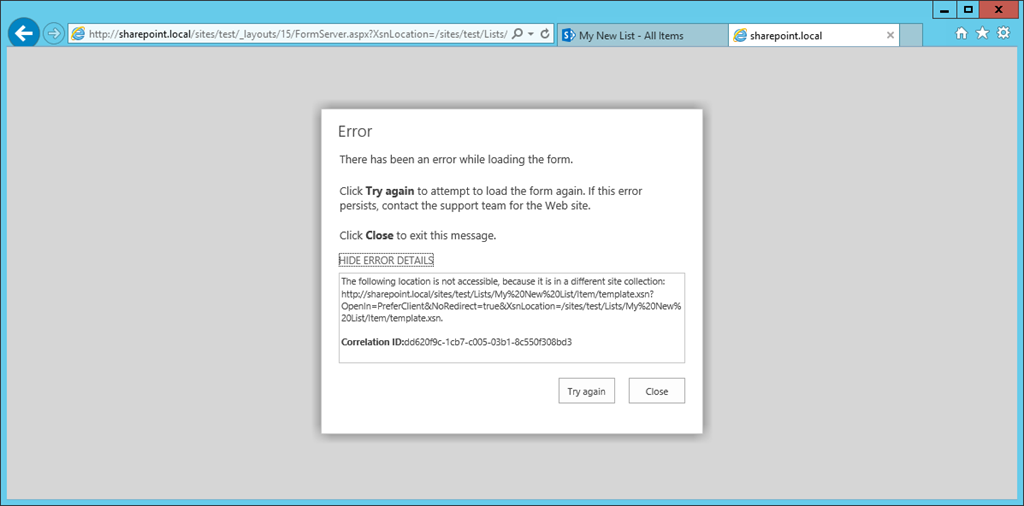
(Normally there would be a download dialog.)
Solution
It’s so simple… ;-) - After some network, log and code analytics I could figure out that you need…
… a site collection at the web application root!
Remember the first screenshot above. There I showed you the possible locations for the new site collection. As you can see the root “/” is available. This means: There is no site collection at the web app root.

After creating a site collection at the web application root I’m able to customize the list form with InfoPath. – After doing so:
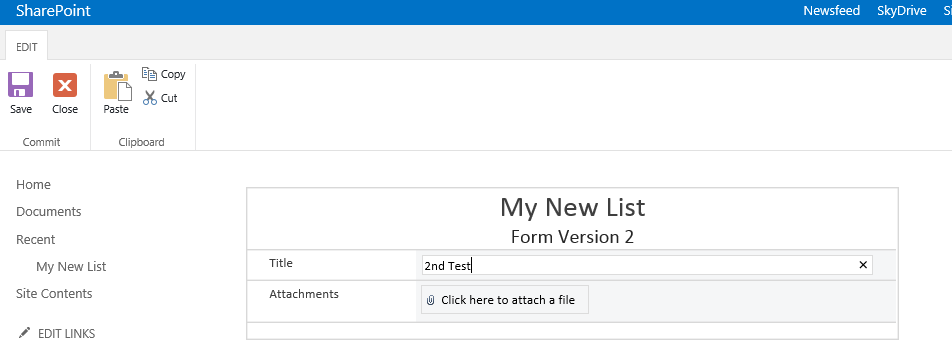
Problem solved :-)
My friend and colleague Guido could reproduce the problem and validate the fix. - @Guido: Thank you (and have a good week while teaching SharePoint ;-) )!!!
Hints
As far as I have seen there are other solutions related to the same problem:
-
Check your user has at least Contribute rights on the site.
-
Check your site is in “Local Sites” or “Intranet” zone of the Internet Explorer.