Error while connecting to a SharePoint 2010 web site in SharePoint Designer 2010
Today I got this error:
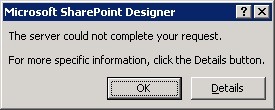
(“The server could not complete your request. For more specific information, click the Details button.”)
I clicked the “Details” button as commanded.
(“Below is the message that the server returned. For more information, contact your Internet service provider or web server administrator.”)
I asked myself (because I’m the web server administrator in this case) – I had no answer for me.
I clicked: “OK” and “OK” and got:

(‘An error occurred while trying to fetch data from your SharePoint site. Unexpected response from the server. The content type type of the response is “” This status code is “OK”.’)
“OK”??????????? Okay…
…
I read the event viewer log:
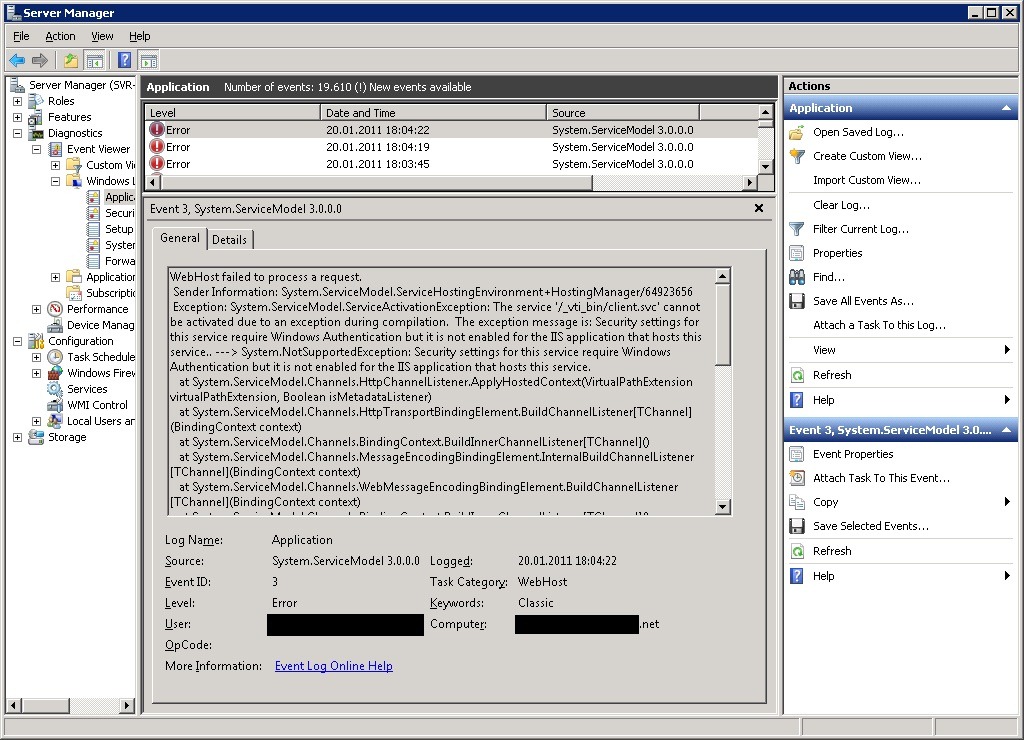
WebHost failed to process a request.
 Sender Information: System.ServiceModel.ServiceHostingEnvironment+HostingManager/64923656
 Exception: System.ServiceModel.ServiceActivationException: The service '/_vti_bin/client.svc' cannot be activated due to an exception during compilation.  The exception message is: Security settings for this service require Windows Authentication but it is not enabled for the IIS application that hosts this service.. ---> System.NotSupportedException: Security settings for this service require Windows Authentication but it is not enabled for the IIS application that hosts this service.
   at System.ServiceModel.Channels.HttpChannelListener.ApplyHostedContext(VirtualPathExtension virtualPathExtension, Boolean isMetadataListener)
   at System.ServiceModel.Channels.HttpTransportBindingElement.BuildChannelListener[TChannel](BindingContext context)
   at System.ServiceModel.Channels.BindingContext.BuildInnerChannelListener[TChannel]()
   at System.ServiceModel.Channels.MessageEncodingBindingElement.InternalBuildChannelListener[TChannel](BindingContext context)
   at System.ServiceModel.Channels.WebMessageEncodingBindingElement.BuildChannelListener[TChannel](BindingContext context)
   at System.ServiceModel.Channels.BindingContext.BuildInnerChannelListener[TChannel]()
   at System.ServiceModel.Channels.Binding.BuildChannelListener[TChannel](Uri listenUriBaseAddress, String listenUriRelativeAddress, ListenUriMode listenUriMode, BindingParameterCollection parameters)
   at System.ServiceModel.Description.DispatcherBuilder.MaybeCreateListener(Boolean actuallyCreate, Type[] supportedChannels, Binding binding, BindingParameterCollection parameters, Uri listenUriBaseAddress, String listenUriRelativeAddress, ListenUriMode listenUriMode, ServiceThrottle throttle, IChannelListener& result, Boolean supportContextSession)
   at System.ServiceModel.Description.DispatcherBuilder.BuildChannelListener(StuffPerListenUriInfo stuff, ServiceHostBase serviceHost, Uri listenUri, ListenUriMode listenUriMode, Boolean supportContextSession, IChannelListener& result)
   at System.ServiceModel.Description.DispatcherBuilder.InitializeServiceHost(ServiceDescription description, ServiceHostBase serviceHost)
   at System.ServiceModel.ServiceHostBase.InitializeRuntime()
   at System.ServiceModel.ServiceHostBase.OnOpen(TimeSpan timeout)
   at System.ServiceModel.Channels.CommunicationObject.Open(TimeSpan timeout)
   at System.ServiceModel.ServiceHostingEnvironment.HostingManager.ActivateService(String normalizedVirtualPath)
   at System.ServiceModel.ServiceHostingEnvironment.HostingManager.EnsureServiceAvailable(String normalizedVirtualPath)
   --- End of inner exception stack trace ---
   at System.ServiceModel.ServiceHostingEnvironment.HostingManager.EnsureServiceAvailable(String normalizedVirtualPath)
   at System.ServiceModel.ServiceHostingEnvironment.EnsureServiceAvailableFast(String relativeVirtualPath)
 Process Name: w3wp
 Process ID: 7248
…………….. It was my mistake. ………………………….
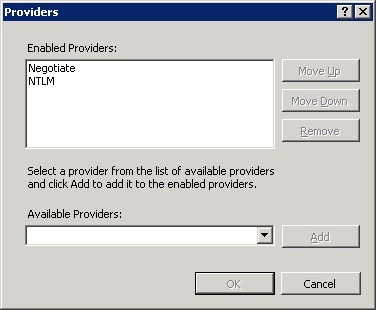
An hour before I configured my SharePoint Site to use KERBEROS. – In the IIS I configured the Web application “Authentication” settings: I choose the provider “Negotiate” but I also removed “NTLM”. This was my fault.
This is the correct setting: