Error while publishing an InfoPath 2010 form to SharePoint: “The following URL is not valid”
Today I got this error:
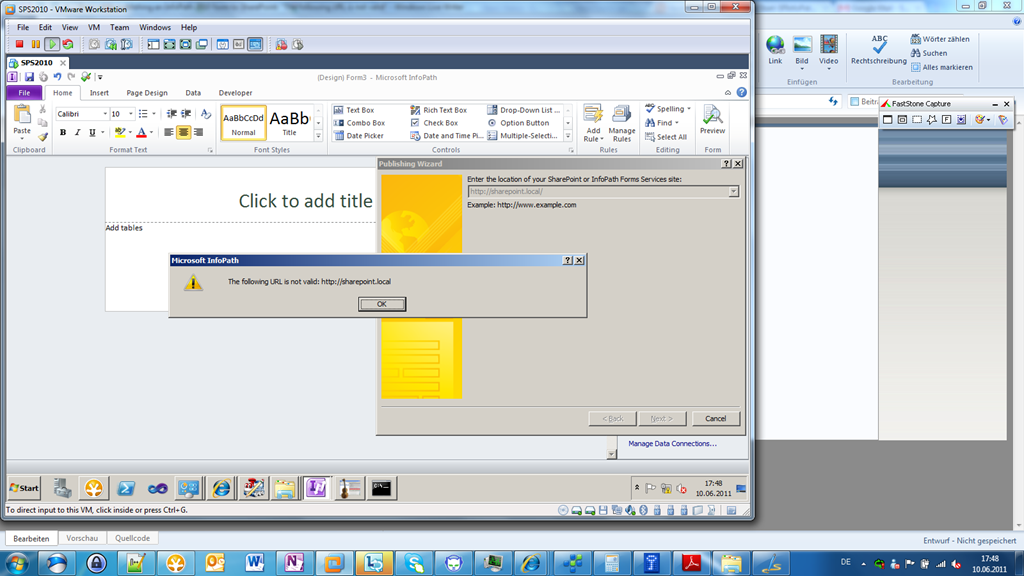
I tried to deploy a simple form to the SharePoint location http://sharepoint.local. - This location is a root site collection!!!
I got the error:
The following URL is not valid: “http://sharepoint.local”
I swear: It is valid!!! 
The URL uses a host header name. Specifying the Central Administration URL (using the machines name) did work at the same time.
Than I activated the network adapter of the virtual machine to have Google available in the machine to research into the problem. – In this moment the problem was gone! – I turned off the network adapter and the problem was back. – OK. That’s it. – Deactivating the “System Event Notification Service” (net stop sens at command line) solved the problem. But you should restart the service as soon as possible!