k blog.kenaro.com
← All articles

SharePoint 2013 People Picker error: “Sorry, we’re having trouble reaching the server.”

· Ingo Karstein

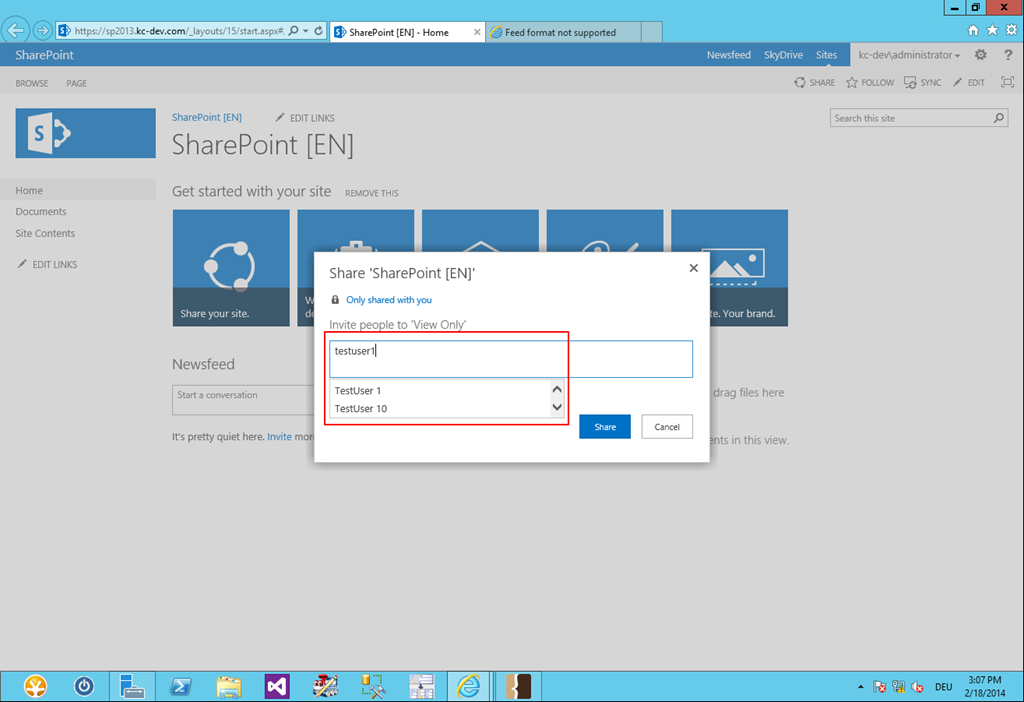
I have had a strange error today in my dev lab environment. First I recognized that I could not select users from the People Picker:
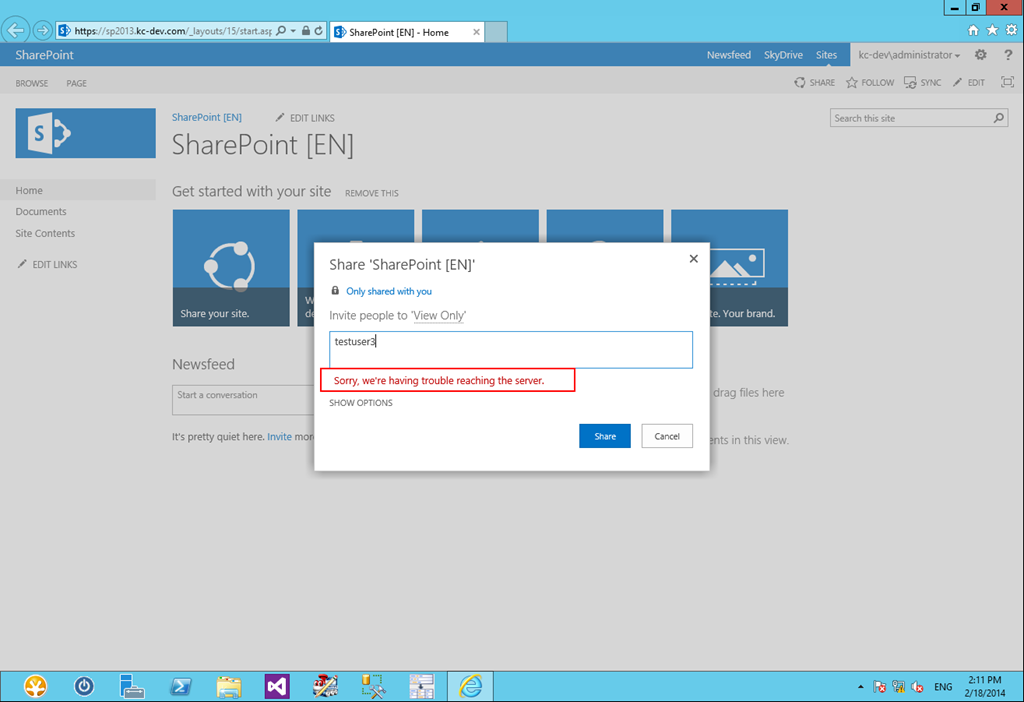
image

Sorry, we’re having trouble reaching the server.

Second I realized that I was not able to use any function that belongs to WCF web services such as the SharePoint REST API, e.g. at http(s):///_api/web.

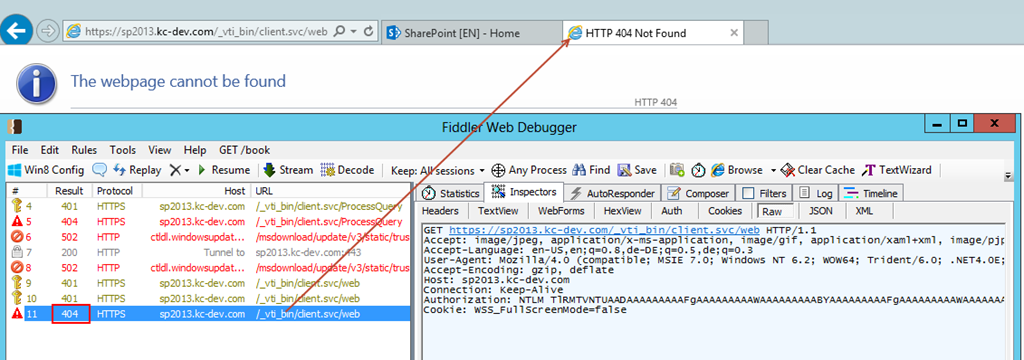
Using Fiddler I found this behavior:

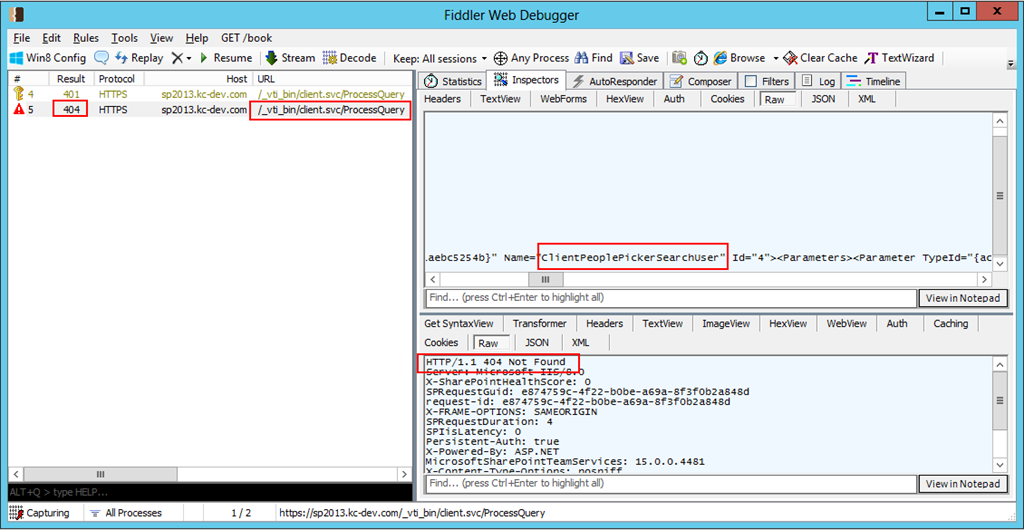
image

HTTP 404 NOT FOUND on /_vti_bin/client.svc/ProcessQuery

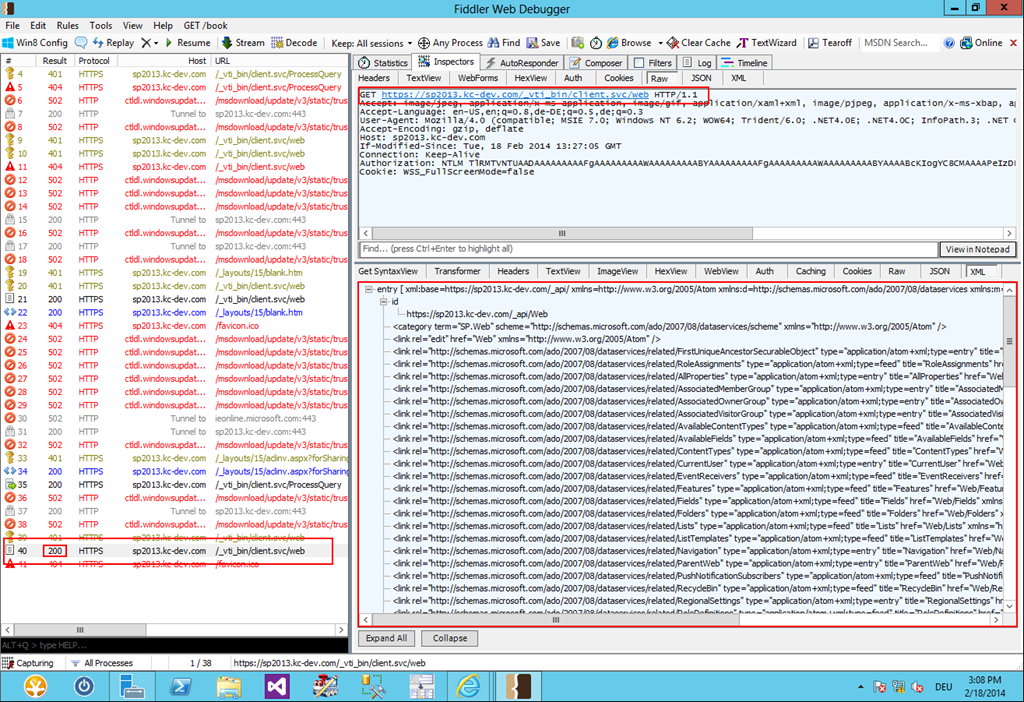
Same for /_vti_bin/client.svc/web which is the same as /_api/web.
image

Search the web I found some hints regarding this error in SharePoint. But nothing worked.

Than I created a own web service “service1.svc” with a simple method in it and placed it in folder \isapi where the virtual folder “_vti_bin” is located on the file system.

Result:  I could not call my own web service too. Same result: NOT FOUND.

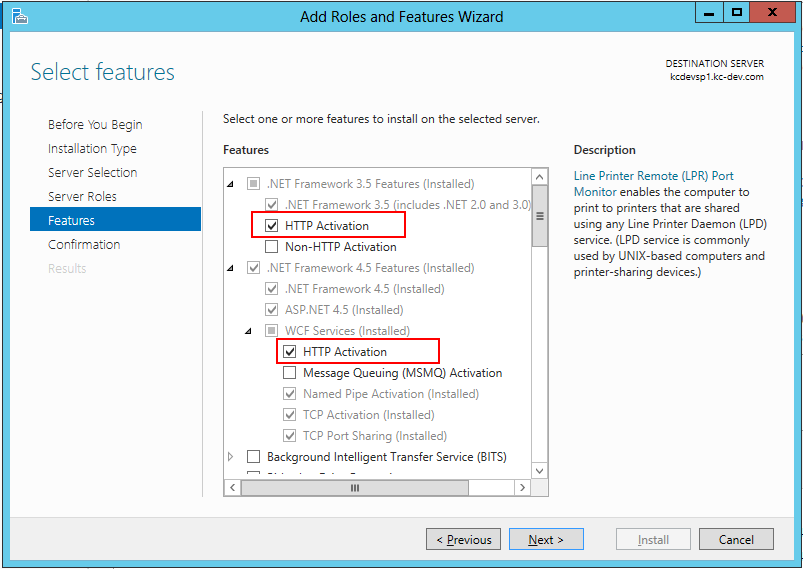
Than I search the web for “WCF 404” and found some hints to “HTTP Activation” feature of Windows Server OS. Of course this was activated for .NET 3.5 and .NET 4.5.

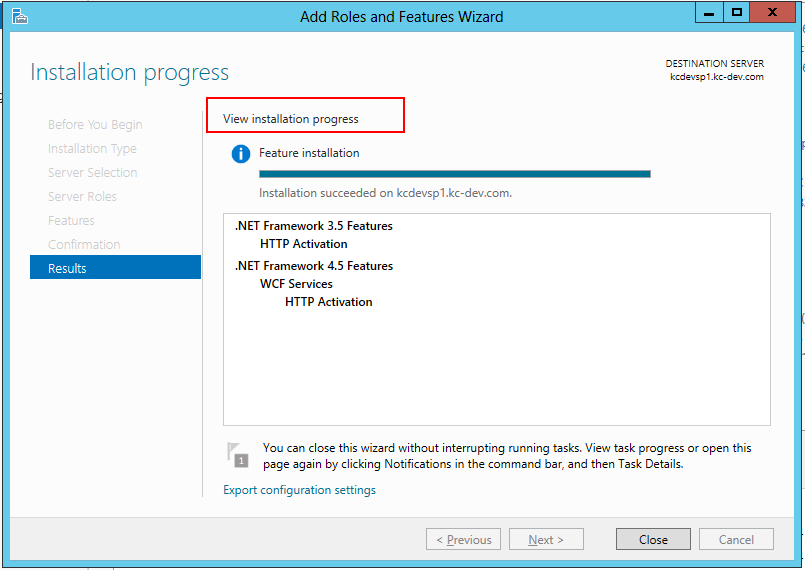
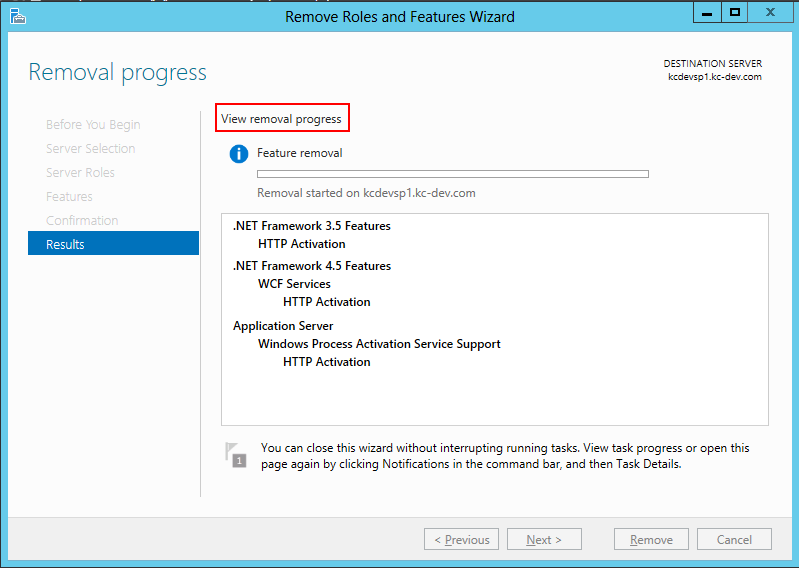
So I deactivated the “HTTP Activation” feature of .NET 3.5 and .NET 4.5 and re-enabled one by one (1st .NET 3.5, 2nd .NET 4.5 ) them after deactivation.
image

image

image

After that I did a IISRESET. – Than everything works again as expected. :-)
image

and

image

14 comments

M Jun 12, 2014
Great article. I was having the same issue, but decided to try an IISReset before doing the suggested steps, and that seemed to do the trick!
Mike Jun 27, 2014
If you definitely sure that it\`s failing due to query timeout try to update peoplepicke\`s timeout in client\`s js: extensions\\15\\TEMPLATE\\LAYOUTS\\clientpeoplepicker.js SPClientPeoplePicker.UserQueryMaxTimeout = 25e3; ##<- this is default 25 sec, change it to 60
Elohir Jun 28, 2014
Thanks... I was having a very difficult time figuring out the cause of my problems, and this helped identify that HTTP Activation was not even installed on my server. Once installed, a half dozen issues disappeared!!!
R Jul 1, 2014
Thanks for the article. This happened to me on one of my site collections but not another (both in same farm). However I tried what M suggested and did the IISRESET, and this solved my problem. Cheers to you both.
Jan Aug 21, 2014
Thanks... really useful article.
Jason Aug 6, 2014
Don't try this on Windows server 2008 R2. I tried it and it blew up my SharePoint 2013 install completely. Hosed IIS and securityservice.
Derek Sep 8, 2017
Yup... this just happened to me. Fantastic.
Derek Sep 8, 2017
It broke my site and this is article fixed it Troubleshooting: Could not load type 'System.ServiceModel.Activation.HttpModule' from assembly 'System.ServiceModel...' https://msdn.microsoft.com/en-us/library/hh169179(v=nav.90).aspx
Daniel Nov 9, 2014
Hi in my case I had the same non-functioning people picker and not being able to run say http:://mydev/\_api/lists/getbytitle('documents') on the 4th web app /root sc in my Farm. 401 errors also shown in Fiddler. Just did an IISreset and all is well, Strange eh!
Calvin Aug 20, 2015
it helped me solved the issue out, thx
Drue B Oct 6, 2015
Thanks for posting this, it fixed my problem. The guides I followed didn't even have me install the HTTP Activation feature. I could have spent a lot of time on this figuring it out on my own, i'm glad I found your post.
Thomas Pancoast Mar 20, 2017
Thank you. That was ticking me off. I had to go through the remove and re-install process for HTTP Activation. Now it works fine. Restarting IIS did not fix it, and HTTP Activation \*was\* installed.
Kam May 10, 2017
I am having issues on my SP2016 CA, can anyone advise as this didn't fix the issue
Bala Oct 22, 2018
You are a champion. I have tried many changes to get this done. Thanks once again you saved my day.

Leave a comment

Your comment is reviewed before it appears. Your name is shown with the comment; your email is required for moderation but never published.