k blog.kenaro.com
← All articles

Update of PS2EXE: Version 0.3.0.0 Now Supports PowerShell 3.0 and 2.0!

· Ingo Karstein

Some time ago I’ve written a little tool called “PS2EXE” that creates .EXE files from PowerShell script files. As mentioned in earlier posts this is no conversation of PS to EXE! The PS2EXE script creates an EXE by using the C# compiler and stores the script as Base64 encoded string inside a tiny PowerShell host application.

Today I’ve updated the PS2EXE script to version 0.3.0.0. Now it supports PowerShell 3.0 and PowerShell 2.0.

https://github.com/ikarstein/ps2exe

(Formerly: http://ps2exe.codeplex.com)

Here are the past blog articles:

There are two new parameters for PS2EXE:

-runtime30

-lcid

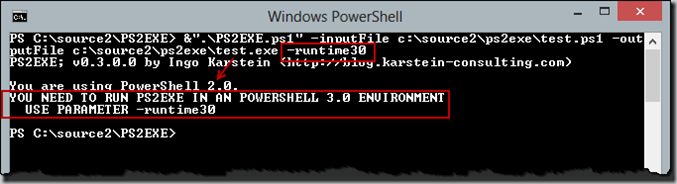
Using -runtime30 or by starting PS2EXE in a PowerShell 3.0 environment PS2EXE creates a EXE file by using the C# compiler version 4.0.

Using -runtime20 or by starting PS2EXE in a PowerShell 2.0 environment PS2EXE create a EXE file by using the C# compiler 2.0.

-lcid sets the “culture” of the current thread to the specified value. (See http://msdn.microsoft.com/en-us/library/system.threading.thread.currentuiculture.aspx and http://msdn.microsoft.com/en-us/library/system.threading.thread.currentculture.aspx and http://msdn.microsoft.com/en-US/library/w4deeh00(v=vs.80).aspx and http://msdn.microsoft.com/en-us/goglobal/bb964664.aspx.)

The new version should fix the “Assembly not referenced” error discussed here:

http://ps2exe.codeplex.com/discussions/404546

On Windows 8 or Windows Server 2012 there is PowerShell 3.0 installed by default. On Windows 7 or Windows Server 2008 R2 you can install it using Windows Management Framework 3.0.

With PowerShell 3.0 installed you will always start the 3.0 enviroment by using:

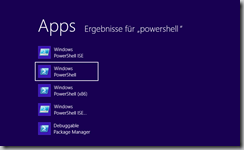
the Start Menu (or Screen)

clip_image001

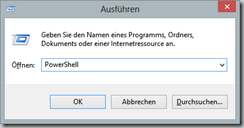
the “Run” dialog:

clip_image002

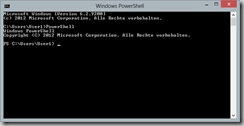
the command line:

clip_image003

Execution PS2EXE reports PowerShell version 3.0:
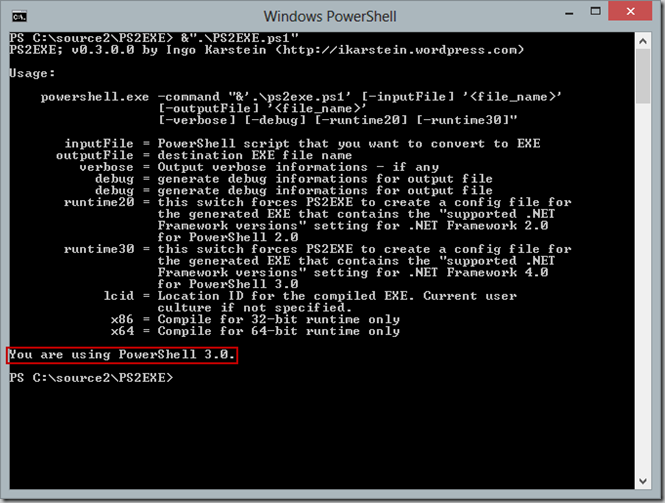
clip_image004

You can start a PowerShell 2.0 enviroment by using this parameter: -version 2.0 for POWERSHELL.EXE
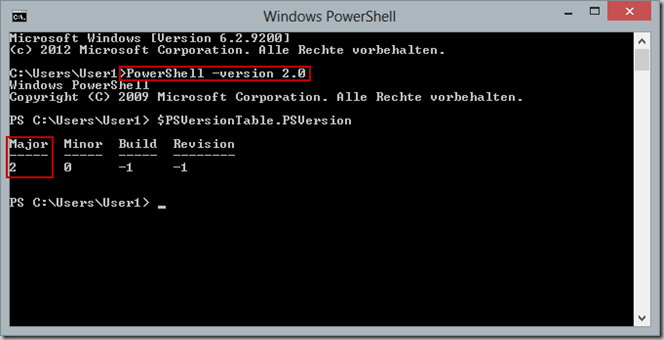
clip_image005

Execution PS2EXE reports PowerShell version 2.0:
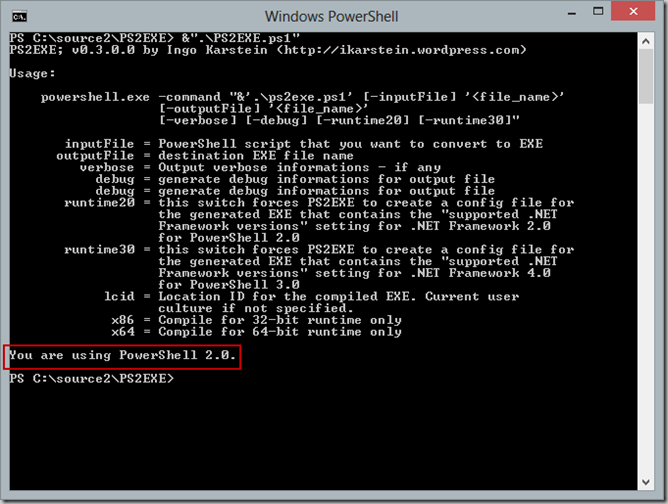
clip_image006

Now lets use to create an EXE file using the PS2EXE script…

1. Sample: PowerShell 3.0 without parameters –runtime20 and –runtime30
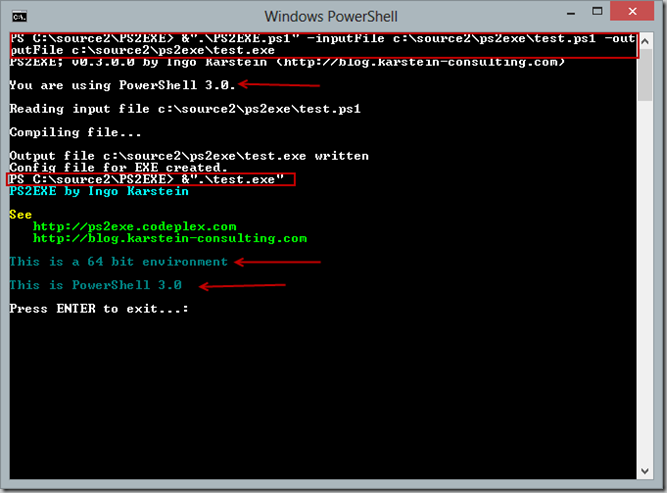
clip_image007

2. Sample: PowerShell 3.0 with parameter –runtime20

clip_image008

(Behind the scene this starts PowerShell.exe using parameter –version 2.0.)
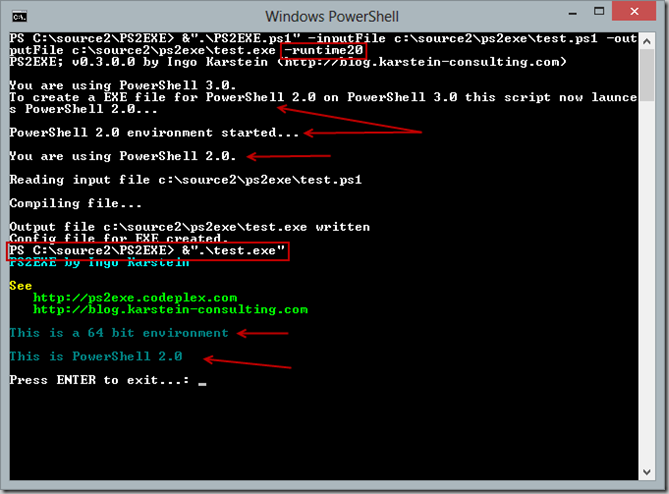
3. Sample: PowerShell 2.0 without parameters –runtime20 and –runtime30
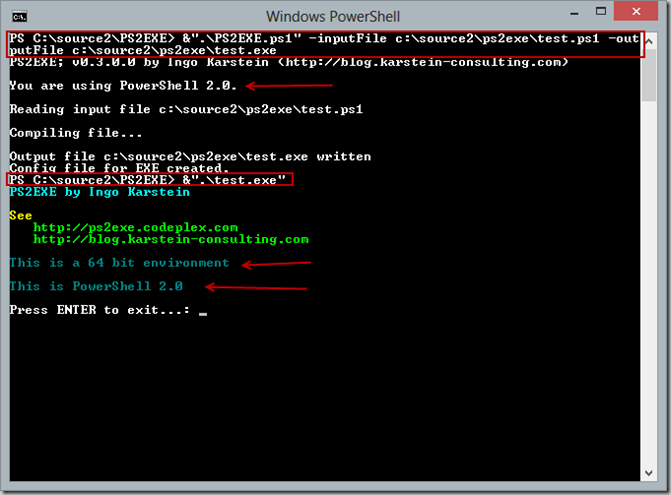
clip_image009

4. Sample: PowerShell 2.0 with parameter –runtime20

clip_image010

This is not supported!

15 comments

Robert Skinner Mar 8, 2013
Wonderful, just tested it with PS 3.0 and works like a charm. Great Update!
ikarstein Mar 8, 2013
Hi Robert! Thank you for your testing and reply ;-) - Regard, Ingo
James Stephan Jun 12, 2013
I am trying to use the script on free core and paid GUI server 2012 with powershell 3.0 and .net 4.0 and I get this error: Compiling file... Exception calling "CompileAssemblyFromSource" with "2" argument(s): "Compiler executable file csc.exe cannot be found." At C:\\software\\ps2exe.ps1:1288 char:1 \+ $cr = $cop.CompileAssemblyFromSource($cp, $programFrame) \+ ~~~~~~~~~~~~~~~~~~~~~~~~~~~~~~~~~~~~~~~~~~~~~~~~~~~~~~~~ \+ CategoryInfo : NotSpecified: (:) \[\], MethodInvocationException \+ FullyQualifiedErrorId : InvalidOperationException CSC.exe is located at Directory of C:\\Windows\\Microsoft.NET\\Framework\\v4.0.30319 Not sure why it is failing out??
James Stephan Jun 14, 2013
It fails out on me says it cannot path to CSC.exe. It is there under C:\\Windows\\Microsoft.NET\\Framework I am running powershell 3.0 and .net 4.0 any help would be appreciated.
MD Jun 18, 2013
Fantastic tool, copied it and able to create exe of my ps1 script. My question is where can I see the log file after executing the exe? Please let me know the location and thanks in advance. Thanks MD
Peter Aug 7, 2013
When I run ps2exe.ps1 inside PowerShell ISE I don't see any output - I have to use Start-Process and redirect the output into a text file.
exchposh Oct 19, 2013
Hi, I have a script which uses below inbuilt Powershell Variable: Set-Location $(Split-Path $MyInvocation.MyCommand.Path) $MyInvocation is not working, how to get this working? thanks exchposh
Peter Nov 4, 2013
May be the script has not been saved - if you run the command outside a script it won't work.
Alberto Villar Mar 14, 2014
Hello Exchposh, You may use the inherited environment, so you can get full script path as: $strMyPath = \[Environment\]::GetCommandLineArgs()\[0\]; And, of course, the directory would be: $strMyDir = Split-Path -Parent $(\[Environment\]::GetCommandLineArgs()\[0\]); Regards, Alberto
Simone Aug 13, 2014
Hi, I have used this a few times already, so thanks, it is really great for distributing scripts, e.g. to Help Desk personnel etc. Now I have requirement where the admin password is inside the script and I want it secured. I am looking at PowerGui as it has an option to password protect the compiled exe. How easy is it to crack/decompile exe's created with Ps2Exe ? I am uncomfortable about the security implications (internal threats aside, what if someone emails the exe outside the company to a mate!). Simone
Tony Sep 10, 2014
Hi ikarstein, First of all....THANKS! I have used PS2EXE a few times with no problems and it's a great lightweight packager! Here comes the question... I lost my source files (insert long story inserted). Is there a way to unpack these EXE's to retrieve the .ps1? You would make my year if the answer is yes. All the best, Tony
Reece Sep 2, 2015
Hi, I can't seem to get the Get-Credential dialog box to pop up with the no-console switch. I know you've said you added this but it doesn't work for me.
lily Dec 8, 2015
Hello, Thanks so much, , it is really great for distributing script. I try to used it so I can generate the exec file but it seems doesn't work, where ca we find the log file ? Thank you in advance
Sebastian Aug 6, 2021
Hi, Sorry but I am unable to find the new script version. Can you please advice? Thanks!
ikarstein Sep 7, 2021
Hi Sebastian, here is the my "old" version... https://github.com/ikarstein/ps2exe  There are newer clones out there.... But I haven't tested them, so I can't recommend any. Regards Ingo

Leave a comment

Your comment is reviewed before it appears. Your name is shown with the comment; your email is required for moderation but never published.